
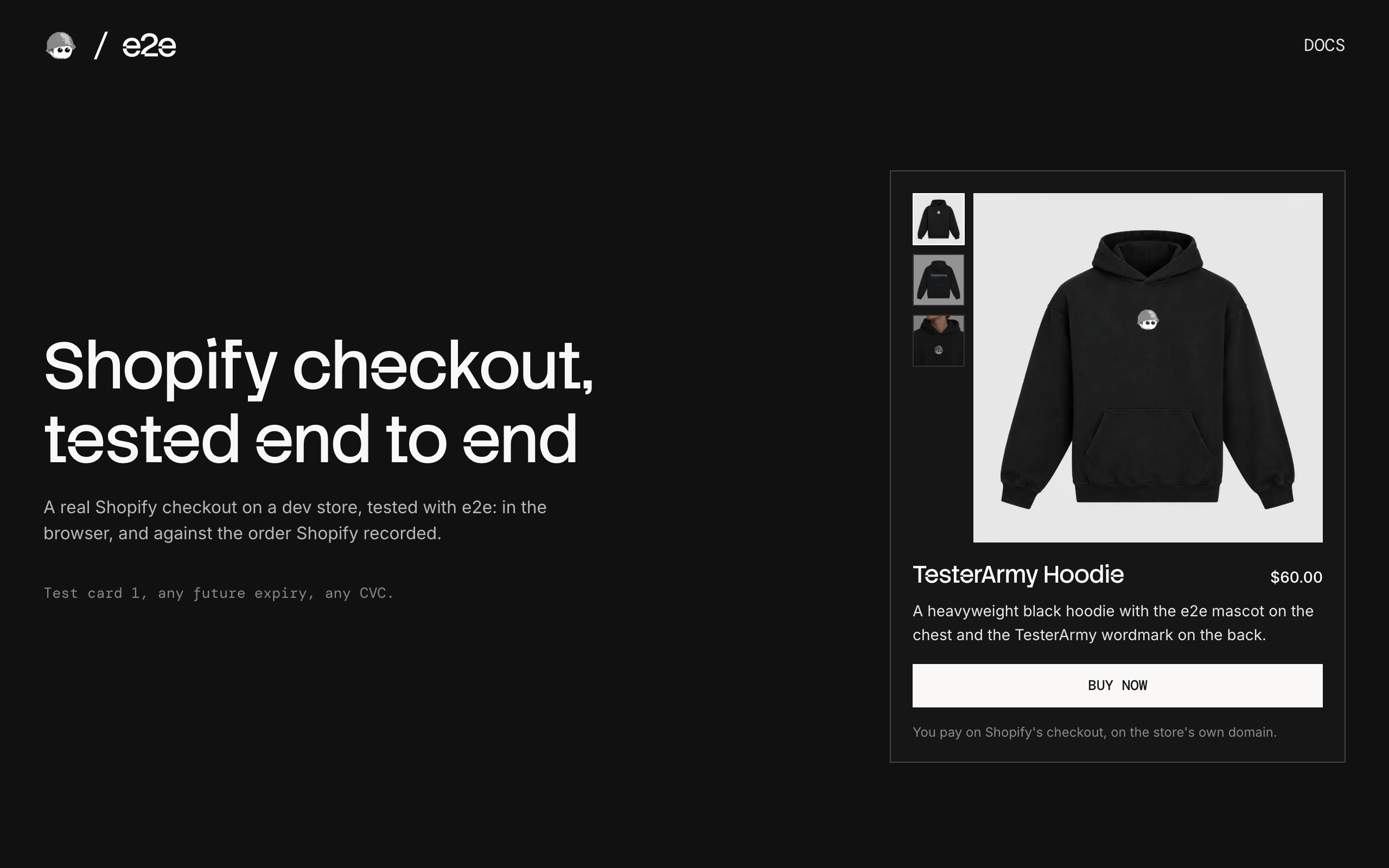
A Next.js storefront that sells one product through Shopify's checkout on a free dev store, used as an example of end-to-end testing a checkout you don't own with e2e.
How it works
The shopper pays on Shopify's own checkout, the one every Shopify store uses:
- Home (
app/page.tsx) shows the store's newest product for sale, read through the Storefront API. POST /checkout(app/checkout/route.ts) creates a cart with it and redirects to Shopify's checkout.- Shopify's checkout ends on Shopify's thank-you page. Nothing sends the shopper back, so the tests confirm each order through the Admin API.
There is no database: Shopify holds the product, the cart, and the order.
Test cards
| Card number | Result |
|---|---|
1 | Paid |
2 | Declined |
3 | Gateway failure |
Use any future expiry date, any security code, and any name. Shopify shows the same error for 2 and 3.
Getting started
Connect a Shopify store first (below, about 15 minutes), then:
npm install
cp .env.example .env.local   # then fill it in
npm run dev
Open http://localhost:3000. The card shows your product, and Buy now opens Shopify's checkout. If the card says Connect your dev store, a variable is missing; Nothing for sale means no active product is in the Headless channel.
Connect your Shopify store
Everything here is free. The steps end with the values for .env.local.
1. Create a dev store
-
Sign in to the Shopify Dev Dashboard. The store and the app in step 5 must be in the same organization.
-
Create the store with Shopify's CLI, which can set the country (the tests' buyer has a US address):
Terminal npx @shopify/cli@latest store create dev --country USIt asks for a name, which becomes
<name>.myshopify.com, a plan, and whether to add demo data. Any answers work. -
The Test payment gateway is on already: Settings → Payments shows it as Active.
→ SHOPIFY_STORE_DOMAIN, such as e2e-shopify.myshopify.com.
2. Add a product
The app sells the newest product that's for sale. In the admin, go to Products → Add product:
- Price: over $5.00, for the discount test.
- Media: any photos, each with alt text. The starred one comes first.
- Inventory: turn the toggle off, so the tests never run out of stock.
- Status: Active.
3. Get a Storefront API token
A dev store's password locks its Online Store channel, so the Storefront API needs a token from the free Headless channel:
- Install Headless on your store.
- Go to Sales channels → Headless and add a storefront.
- In Storefront API tokens, copy the Public access token. It's public by design.
- Add your product to the channel: Products, select it, ⋯ → Include in sales channels → Headless.
→ SHOPIFY_STOREFRONT_TOKEN.
4. Copy the store password
Dev stores are always password protected, and the password page stands in front of checkout too. It's under Online Store → Preferences.
→ SHOPIFY_STORE_PASSWORD, in single quotes if it contains # or $.
5. Create an app for the Admin API
Only the tests use it, to check and delete orders.
- In the Dev Dashboard, go to Apps → Create app → Start from Dev Dashboard.
- On Versions, set the App URL to
https://shopify.dev/apps/default-app-homewith Embed app in Shopify admin off, and the Scopes toread_orders,write_orders,read_discounts,write_discounts. Then Release. - Install app on your store.
- Under Distribution, choose Custom distribution with your store's domain, or the app can't read orders. Skip the install link it shows.
- On Settings, copy the Client ID and Client secret.
→ SHOPIFY_CLIENT_ID and SHOPIFY_CLIENT_SECRET.
6. Add an AI Gateway key
The tests' agent calls its model through the Vercel AI Gateway: create a key in the Vercel dashboard under AI Gateway → API Keys, or link a Vercel project, which gives the Gateway an OIDC token instead.
→ AI_GATEWAY_API_KEY.
End-to-end tests
tests/store.setup.e2e.ts clicks Buy now, lands on the dev store's password page, and has the agent type the password as a secrets handle: the model only sees <secret:store-password>. It saves the session, so every checkout test starts past the password.
tests/checkout.e2e.ts pays with cards 1, 2, and 3, and with a discount code. Our page uses exact locators and Shopify's checkout uses agent.act and agent.assert, except the card fields: they're iframes from another site, which the agent can't see, so the test fills them with browser.frameLocator. Then each test asks the Admin API what Shopify recorded:
- Paid: a test order, paid, for the product and price on our card.
- Declined or failed: no order.
- Discount: the test creates a fresh code through the Admin API first, and the order lists it with $5.00 off.
Until every variable is set, the checkout tests are skipped with the names of the missing ones, and only the home test runs. Orders and codes are deleted afterwards, even after a failure, and the tests refuse a store that isn't a development store. Tests on Shopify's page retry twice. A run takes about 2.5 minutes and $0.02 of model calls.
With the dev server running:
npm run test:e2eTo test a different URL, set APP_URL. Configuration lives in e2e.config.ts.
Scripts
| Command | Description |
|---|---|
npm run dev | Start the dev server |
npm run build | Build for production |
npm run lint | Run ESLint |
npm run format | Format with Prettier |
npm run test:e2e | Run the e2e tests |

