A card checkout built from nested iframes, used as an example of end-to-end testing iframe-heavy UIs with e2e.
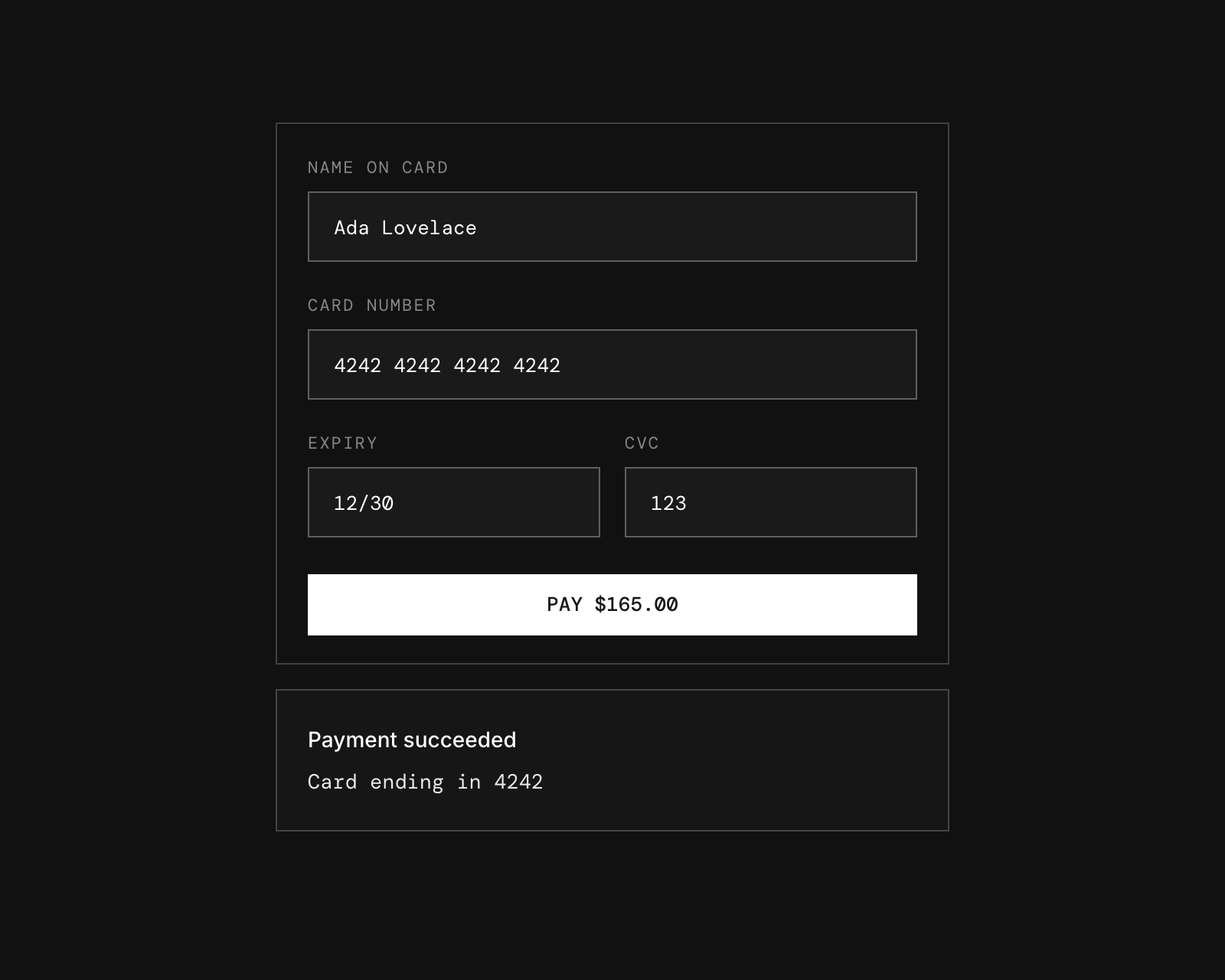
How it works
The page is set up like a hosted payment form such as Stripe Elements:
- Host page (
app/page.tsx) embeds the card form in an iframe and shows the payment result. - Card form (
app/embed/card) handles validation, submission, and the Pay button. - Card fields (
app/embed/field/[field]): each input (name, number, expiry, CVC) is rendered in its own nested iframe.
Like a real payment provider, the card form and fields load from a different origin than the host page (see Two origins). The frames talk to each other with postMessage calls, and the host and card form check each other's origin. The message types are defined in lib/checkout-messages.ts.
Test cards
| Card number | Result |
|---|---|
4242 4242 4242 4242 | Accepted |
4000 0000 0000 0002 | Declined |
Use any future expiry date (MM/YY) and a 3–4 digit CVC.
Getting started
npm install
npm run dev
Open http://localhost:3000.
Two origins
One dev server answers on two hostnames, which the browser treats as separate sites:
- Host page:
http://localhost:3000(NEXT_PUBLIC_HOST_ORIGIN) - Card iframes (
/embed/*):http://127.0.0.1:3000(NEXT_PUBLIC_CARD_ORIGIN)
Open the host page on localhost; on 127.0.0.1 it would share the card's origin. If you run on another port, set both variables to match, for example:
NEXT_PUBLIC_HOST_ORIGIN=http://localhost:3100 NEXT_PUBLIC_CARD_ORIGIN=http://127.0.0.1:3100 npm run dev -- -p 3100End-to-end tests
The tests in tests/checkout.e2e.ts combine agent.act / agent.assert steps with exact Playwright locators that reach into the iframes.
The agent model goes through the Vercel AI Gateway, so set AI_GATEWAY_API_KEY (or link a Vercel project). Then, with the dev server running:
npm run test:e2eTo test a different URL, set APP_URL. Configuration lives in e2e.config.ts.
Scripts
| Command | Description |
|---|---|
npm run dev | Start the dev server |
npm run build | Build for production |
npm run lint | Run ESLint |
npm run format | Format with Prettier |
npm run test:e2e | Run the e2e tests |


