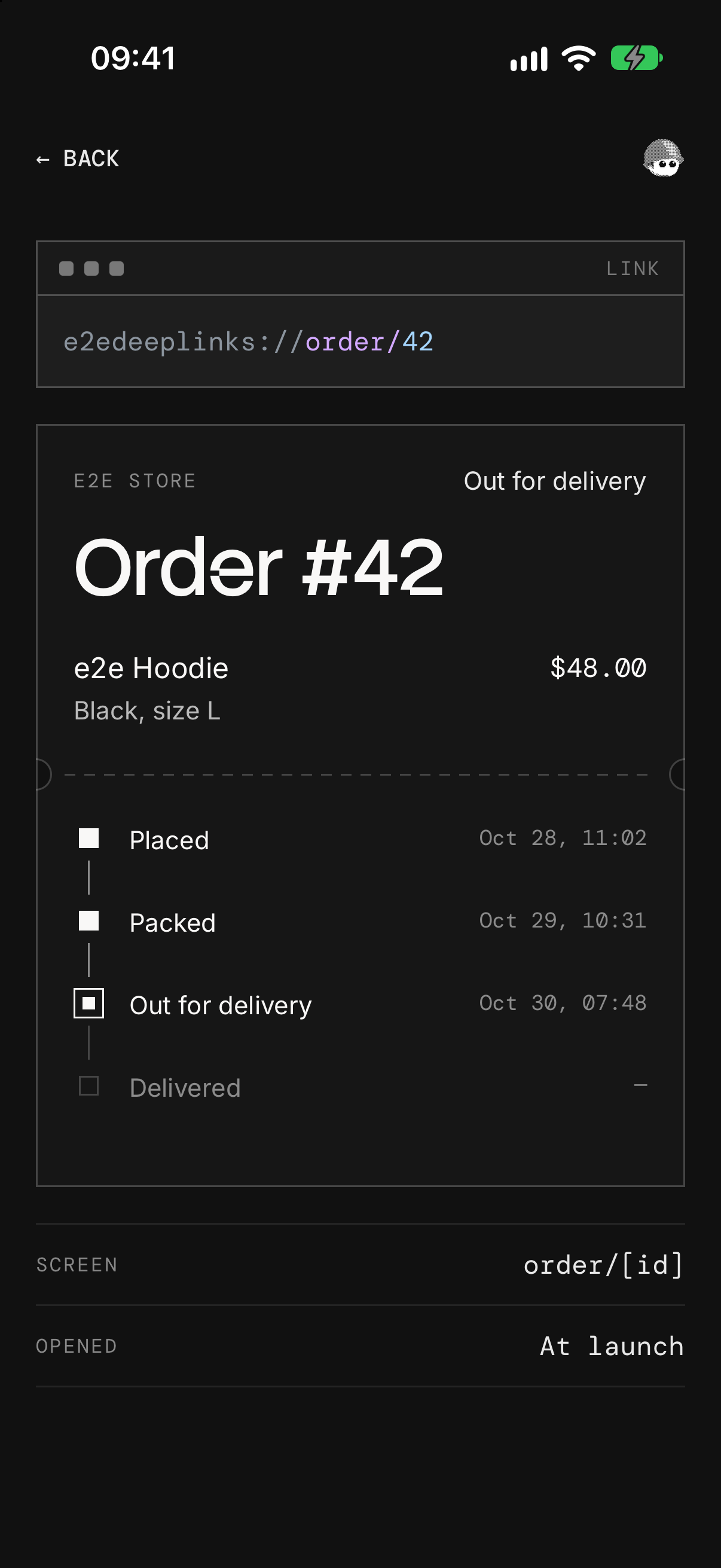
An Expo app where a link like e2edeeplinks://order/42 opens order #42, the way a notification tap or an email link does, tested end to end on iOS and Android with e2e.
How it works
- Routes (
src/app/): Expo Router readse2edeeplinks://order/42asorder/42and opensorder/[id].tsx. An id with no order shows "No order #…", and a path no route answers lands on+not-found.tsx. - How the link arrived (
src/app/+native-intent.tsx): every link the OS hands the app passes throughredirectSystemPathfirst, which knows whether that link launched the app. The order screen shows "At launch" or "While running". - Back (
src/app/_layout.tsx):anchor: 'index'puts the orders list under a linked screen, so Back works after a cold start too.
Three orders live in the app. There's no backend, no account, and no key.
Links to try
| Link | Opens |
|---|---|
e2edeeplinks://order/42 | Order #42, out for delivery |
e2edeeplinks://order/41 | Order #41, delivered |
e2edeeplinks://order/999 | "No order #999" |
e2edeeplinks://track/42 | "This link goes nowhere" |
Send one with the app closed or open: xcrun simctl openurl booted <link> on the iOS simulator, or adb shell am start -a android.intent.action.VIEW -d <link> on the Android emulator.
Getting started
You need Node 22.22.3+ or 24.8+, and Xcode with an iOS simulator or the Android SDK with an emulator (Expo's setup guide).
npm install
npm run ios
npm run ios (or npm run android) builds the app, installs it on the simulator, and starts Metro. The app needs a native build for its link scheme, so it doesn't run in Expo Go. Keep Metro on port 8081: on iOS, a link that launches the app can't pass the Debug build another port.
End-to-end tests
tests/links.e2e.ts runs on iOS and Android. e2e's device fixture does what the OS does with a link: device.closeApp() kills the app, and device.openLink() hands it a link, cold or while it runs. The app's own screens use exact locators, and each test checks how the link arrived and where Back goes, so a link that opens the wrong screen, or nothing, fails.
| Test | Expects |
|---|---|
| A link opens the order from a cold start | Order #42, "At launch"; Back shows your orders |
| A link opens the order while the app runs | Order #42, "While running"; Back returns to order #41 |
| An unknown order shows the fallback | "No order #999"; See your orders shows the list |
| A link to no screen shows that it goes nowhere | "This link goes nowhere" at /track/42; See your orders shows the list |
iOS asks "Open in “e2e Deep Links”?" the first time a simulator opens the scheme, on behalf of simctl, and device.openLink doesn't answer it. So tests/fixtures.ts saves the answer on the simulator before each iOS test. After npm run ios or npm run android, run:
npx e2e run --target ios
npx e2e run --target android
Without --target, both run, in about 40 seconds, with no model calls. The runner starts Metro if it isn't running. To pick the simulator and emulator, set IOS_DEVICE and ANDROID_DEVICE in .env.local (see .env.example).
Scripts
| Command | Description |
|---|---|
npm start | Start Metro |
npm run ios | Build and run the app on iOS |
npm run android | Build and run the app on Android |
npm run lint | Run ESLint |
npm run typecheck | Run TypeScript |
npm run format | Format with Prettier |
npm run test:e2e | Run the e2e tests on both platforms |

